 Tutorial
Open a shop
When you first start playing, you do not yet have a shop of your own.Let’s open one first.
First, go to City Hall
From the main menu “Facilities”, select the submenu “City Hall” to go to City Hall.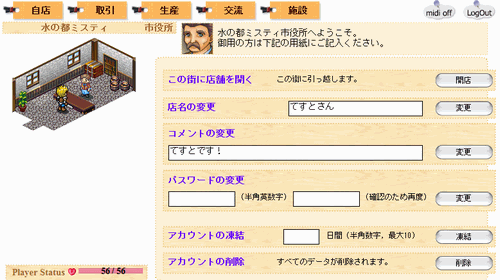 “Open a shop in this town” is listed there. Click
 to open your shop.
Opening a shop gives you startup funds and access to the Warehouse.
Changing your shop name
You can freely change your shop name and comment at City Hall.Relocating your shop
To move to another town, complete the procedure at City Hall in your destination town.Now you might want to start trading right away! But you have nothing to sell yet, so you need to obtain some goods.
Where do you get goods?
There are three main ways to obtain goods: “Produce them yourself”“Buy from the Market”“Buy from other shops (Shopping Street)”. The Market sells only basic goods,
so anything more must be bought from nearby shops or made yourself.
Produce them yourself
One of the pleasures of Merchant Story 3 is being able to produce goods yourself.This keeps costs down and offers the greatest potential profit.
Simply buying from the Market or other shops and putting those goods on display will not yield a profit.
(This tutorial assumes that you will put goods you produce yourself on display.)
Buying stock from the Market
From the main menu “Trade”, select the submenu “Market” to go to the Market.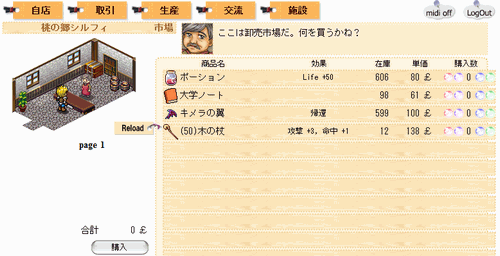 Adjust the quantity with the round buttons on the left and right,
then click
 to make the purchase.
Buying stock from other shops
You can also obtain stock from other players’ shops.From the main menu “Trade”, select the submenu “Shopping Street” to go to Shopping Street.
A list of other players’ shops open in that town will appear.
Click any one of them to look inside.
The next page explains how to check your Inventory, Equipped items, and Warehouse.